
All integrationsLinks & QR Codes
qrtag.net
Turn a link into a QR code to show on screen straight away, and check where a qrtag.net link goes.
- actions
- 2
Actions
Steps a workflow can run in qrtag.net.
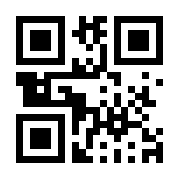
- Create a QR code for a linkTurn a web address into a QR code image to show on a screen straight away: in a chat, a slide or an email. The code opens a qrtag.net link that forwards to your address, and qrtag.net says it keeps that link for 3 days, so don't use it for anything printed. Each code is checked before it's saved, so you get the link it opens and where that goes. Some sites, such as google.com, are blocked by qrtag.net. No account or API key required.
- Check where a qrtag.net link goesFind out where a qrtag.net link (the link inside a qrtag.net QR code) forwards to, and whether it still works. qrtag.net says it keeps these links for 3 days, so use this before sharing an older code again. The destination is read without visiting it. No account or API key required.
No actions match that.




Automate qrtag.net with Lodol.
Connect qrtag.net and ask your AI for your first workflow.
Free plan, no credit card